
Daily step · 2 · Claude from Zero
From photo to tableSnap a receipt, and Claude puts it in a table
Your screen may look a little different (for example, the name under the message box). That's fine. Don't have a Claude account yet? Guide 1 covers everything. Tap any screenshot to see it bigger.
Claude can read photos. Snap a receipt, an invoice or a handwritten list, and it puts what's written on it into a table. It also checks the math.
Attach the photo
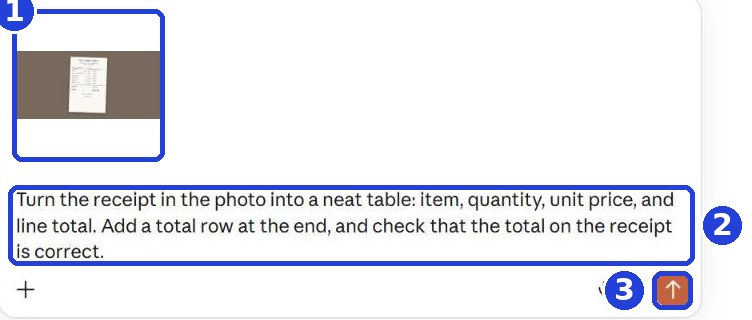
In the message box, tap the plus (+) and choose the photo (on a phone you can also take it straight from the camera). The photo shows up above the box (1).
On a computer: you can text or email the photo to yourself, download it to the computer, and choose it after clicking the plus.
Copy this into the box (2) and click the orange arrow (3):
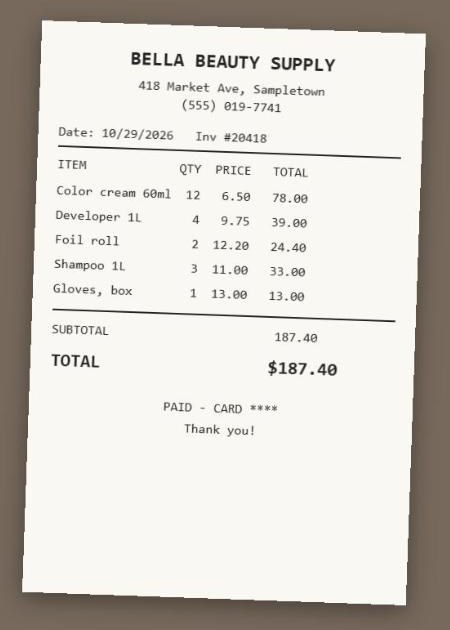
Turn the receipt in the photo into a neat table: item, quantity, unit price, and line total. Add a total row at the end, and check that the total on the receipt is correct.
After you tap "Copy": click inside Claude's message box and paste. On a phone: press and hold in the box, then tap "Paste". On a computer: Ctrl+V (on a Mac: Command+V).
Get a table, and a check of the math
Claude writes the table, and under it checks the total against the receipt.
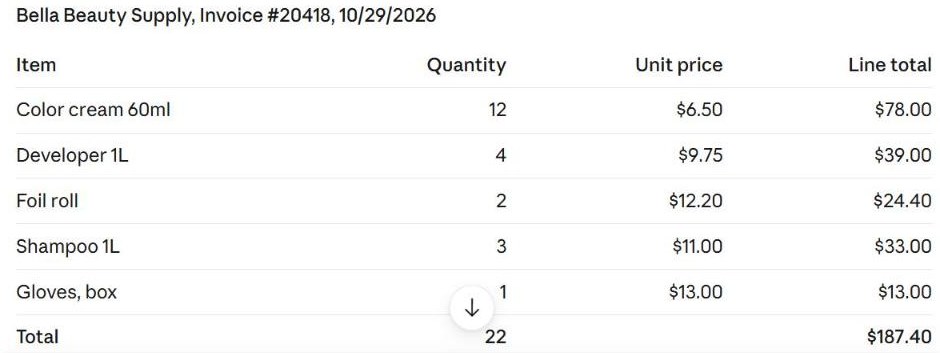

Claude can misread handwriting or a blurry photo. Check important numbers against the receipt. And don't photograph documents with sensitive details, like a driver's license or a credit card number.
Today's task
Snap one real receipt from this week (or a handwritten list), and turn it into a table. Before you take the photo, cover any credit card number and customers' personal details. Want more? Ask: "Sum up all my receipts by type of expense".
Don't want to wait?
All the steps, prompts and templates right now, in one place, ready to copy: $1.99.
Pay once. Yours for good, including everything we add.
Training material and tools, with no promise of income.
Secure payment through Polar. The link to the pack arrives right after payment, by email too. Full refund within 14 days.
Want a new step every morning?
One small win a day, by email.
We'll email you the daily step every morning, plus the next guides, tips and updates from Team in a Box. Unsubscribe anytime.
More from this series
Your business's first website · Your first helper · All guides