
Daily step · 10 · Claude from Zero
A message to a supplierAsk for a discount or a change, politely and confidently
Your screen may look a little different (for example, the name under the message box). That's fine. Don't have a Claude account yet? Guide 1 covers everything. Tap any screenshot to see it bigger.
Want to ask a supplier for a discount, free shipping, a different date or a fix? It's hard to word it without sounding like you're begging or angry. Today Claude writes you a short, clear message, and if the supplier says no, also a reply that keeps the door open.
Ask for a message
Start a new chat (on a computer: the new chat button at the top of the side menu, called New chat or New; on a phone: the pencil icon at the top), or open your business project, if you have one from guide 2.
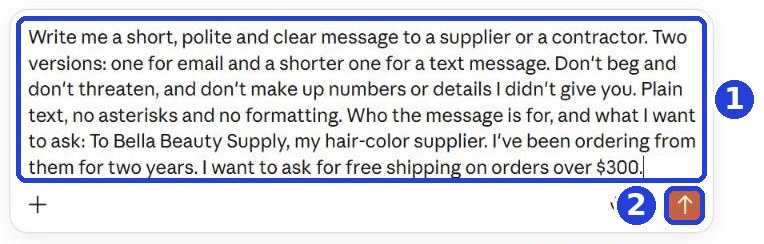
Copy the message and paste it. At the end of the message, after the colon, write who it's for, your relationship (for example "I've been ordering from them for two years"), and what you want to ask:
Write me a short, polite and clear message to a supplier or a contractor. Two versions: one for email and a shorter one for a text message. Don't beg and don't threaten, and don't make up numbers or details I didn't give you. Plain text, no asterisks and no formatting. Who the message is for, and what I want to ask:
After you tap "Copy": click inside Claude's message box and paste. On a phone: press and hold in the box, then tap "Paste". On a computer: Ctrl+V (on a Mac: Command+V).
Click the orange arrow (mark 2 in the screenshot).
Pick a version
Claude writes two versions: one for email, and a shorter one for a text.
Claude writes the answer bit by bit. Wait until it finishes, then scroll down.
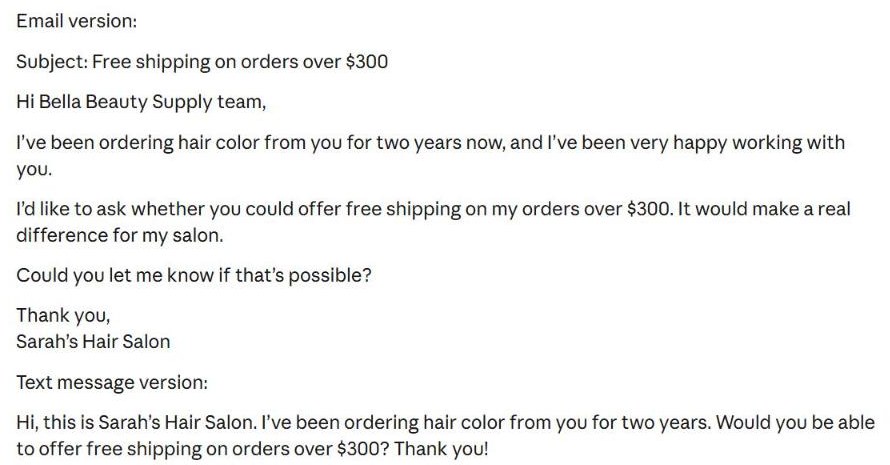
Select the version you chose and copy it: on a phone, press and hold the text, then "Copy". On a computer, select it with the mouse and press Ctrl+C (on a Mac: Command+C). Hard to select? Write to Claude "Just the text version, with nothing before or after it", and then the first button on the left under the answer (an icon of two pages) copies it.
Before you send: if there's a placeholder like [Your name], delete it, including the brackets, and write your name. In an email: paste the subject line Claude suggested into the email's subject line, and the rest into the body, without any heading like "Email version".
And if the supplier says no?
Only if the supplier said no (if they agreed, you don't need this). Go back to the same chat, and copy and paste this into the box under the answer:
And if they say it's not possible? Write me a short reply that suggests another way, without burning the relationship. Plain text, no asterisks and no formatting.
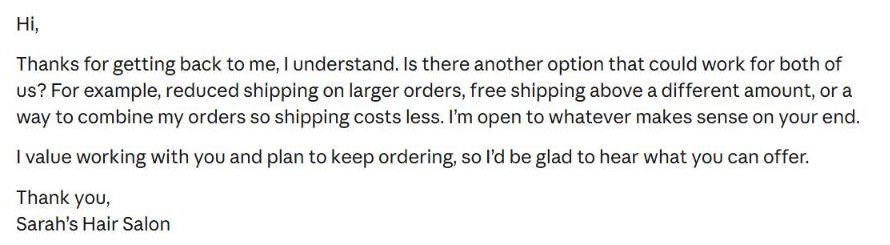
What you ask for and what you're willing to give in return is your decision. Claude only does the wording.
Today's task
Pick one supplier or contractor you work with regularly, and one small request (a discount, free shipping, a better date). Ask for a message, and send it.
Don't want to wait?
All the steps, prompts and templates right now, in one place, ready to copy: $1.99.
Pay once. Yours for good, including everything we add.
Training material and tools, with no promise of income.
Secure payment through Polar. The link to the pack arrives right after payment, by email too. Full refund within 14 days.
Want a new step every morning?
One small win a day, by email.
We'll email you the daily step every morning, plus the next guides, tips and updates from Team in a Box. Unsubscribe anytime.
More from this series
Your business's first website · Your first helper · All guides